You've just had the most incredible wedding day. The ceremony was beautiful, the speeches made everyone cry, and the dance floor was packed until midnight. Now you want to collect photos from wedding guests so you can relive every moment. The obvious move? Create a WhatsApp group and ask everyone to share their pictures. But if you've ever tried this, you already know how quickly it falls apart.
The WhatsApp problem
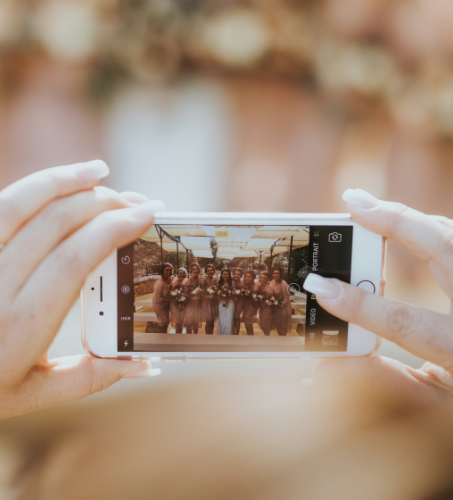
WhatsApp groups sound like a good idea in theory. Everyone already has the app, and sharing photos takes just a few taps. But in practice, things get messy fast. Group chats turn into a flood of messages, memes, and off-topic conversations that bury the actual photos. Older relatives who aren't comfortable with group chats never join. And perhaps the biggest issue of all: WhatsApp compresses every photo you send. Those gorgeous, high-resolution shots from your aunt's new iPhone? They arrive looking grainy and washed out. You're left with low-quality copies of what were once stunning images.
Then there's the logistics problem. Not every guest uses WhatsApp. Some prefer iMessage or Telegram. International guests might use WeChat or Line. Creating multiple group chats across different platforms is a nightmare, and someone always gets left out. Before long, you've spent more time managing group chats than actually enjoying your newlywed bliss.
Alternatives couples try (and why they fall short)
Frustrated with WhatsApp, many couples turn to other solutions. Shared Google Drive or Dropbox folders are a common choice. The idea is simple: create a folder, share the link, and let everyone upload. But in reality, guests need a Google or Dropbox account, uploading from a phone is clunky, and most people simply forget to do it once the wedding weekend is over. You'll end up with a folder containing photos from maybe five guests out of a hundred.
Social media hashtags are another popular approach. You create something like #SmithJonesWedding and ask guests to tag their posts. This works for the Instagram-savvy crowd, but it means your private wedding photos are now public for the world to see. Not everyone wants their candid moments shared with strangers. And again, older guests or those who don't use social media are completely excluded.
Some couples go retro with disposable cameras on tables. It's a fun touch and makes for a great aesthetic, but the results are unpredictable. Half the photos come out blurry, developing the film costs a small fortune, and you still don't have digital copies to share with your guests afterward. It's a charming idea that rarely delivers on its promise.
The simplest solution: QR code photo sharing
What if there was a way for every guest to share their photos, regardless of what phone they use or how tech-savvy they are? That's exactly what Evental's wedding photo sharing offers. Instead of wrestling with group chats and cloud folders, you get a single QR code that guests scan with their phone camera. No app to download. No account to create. No complicated instructions. They scan, select their photos, and upload. That's it.
How it works, step by step
Setting up your Evental album takes just a few minutes. Here's the process:
Step 1: Create your album. Sign up for an Evental account and create a new album for your wedding. Give it a name and customise it with your wedding details.
Step 2: Get your QR code. Evental generates a unique QR code and shareable link for your album. You can download the QR code as an image to use however you like.
Step 3: Display the QR code at your wedding. Print the QR code on table cards, include it in your invitations, display it on a sign at the entrance, or project it on a screen during the reception. The more visible it is, the more photos you'll collect.
Step 4: Guests scan and upload. When guests scan the QR code with their phone, they're taken directly to your album in their web browser. They can select photos and videos from their camera roll and upload them in full resolution. No compression, no quality loss.
Step 5: Enjoy your complete collection. After the wedding, you'll have a single album containing every photo and video from every guest. You can browse them, download them all, and share the album with anyone who wants to relive the day.

Why couples love this approach
The biggest advantage of using a QR code to collect photos from wedding guests is that it removes every barrier. Your grandmother who can barely send a text message? She can scan a QR code. Your friend who uses Android while everyone else has iPhones? No problem. Your colleague who's never heard of Google Drive? They'll figure this out in seconds.
Photos are uploaded in their original quality. Unlike WhatsApp, which strips away resolution and detail, Evental preserves every pixel. When you eventually get around to printing your favourites or creating a wedding album, you'll have crisp, high-resolution images to work with.
Everything lives in one place. No more scrolling through five different group chats, checking three cloud folders, and searching two hashtags on Instagram. One album, one link, every photo. It's the kind of simplicity that makes the post-wedding period far less stressful.
Tips to get the most photos from your guests
Even with the simplest tool in the world, a little encouragement goes a long way. Here are some tips to maximise your photo collection:
Mention it early. Include your QR code or album link in your wedding invitations or on your wedding website so guests know about it before they arrive.
Make it visible on the day. Place QR code signs on tables, near the photo booth, at the bar, and by the dance floor. The more reminders, the better.
Have the MC announce it. A quick mention during the reception reminds guests to scan and share while the moments are still fresh.
Send a reminder afterward. A day or two after the wedding, send a message with the album link. Guests who forgot on the night will still have great photos on their phone from the weekend.
Ready to start collecting?
Your wedding photos are too important to leave scattered across a dozen platforms and group chats. With Evental, you get a single, shareable album that every guest can contribute to in seconds. No apps, no accounts, no compressed images. Just beautiful, full-quality memories from everyone who was there.
Check out our wedding use case page to see how other couples are using Evental, or visit our pricing page to find the right plan for your big day. Getting started takes less than a minute, and your guests will thank you for making it so easy.