7 QR Code Display Ideas for Events (With a Print Example)
A QR code works best when guests notice it, understand what it does and can scan it easily. These placements work for weddings, birthdays and company celebrations.
Try an A5 print before the event
This example is A5 (148 × 210 mm), with a 40 mm square code and a clear white border. Put it upright on a table, with the instruction above the code. Print at 100% and try scanning from where a guest would sit or stand. If they need to step closer or tilt their phone to avoid glare, move the sign or print a larger code.
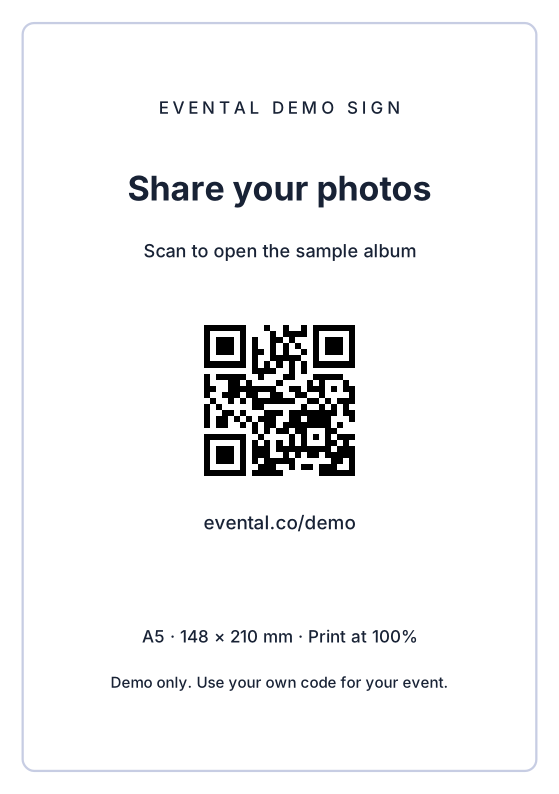
Download the A5 demo sign to practise, or download the editable print templates and add your own code.
1. At the guestbook
Put the sign where guests are already leaving a message. Keep the code at a comfortable scanning height and clear of pens, flowers and drinks.
2. On every reception table
Small cards save guests a walk across the room. An A5 or 5×7 inch sign is easy to read; keep the QR code at least 30 mm wide and preserve its white border.
3. Beside the welcome sign
Let guests discover the album on arrival. A large sign needs a larger QR code if people will scan from further away. Test from the actual standing position.
4. Alongside the seating plan
Use a separate card next to the seating plan rather than squeezing the code between names. Keep the instructions distinct from the table-finding information.
5. On the menu or programme
A short invitation can fit the back of a menu or programme: “Help us see the moments we missed. Scan to share your photos.” Print a test before approving the whole order.
6. Near a photo backdrop
Place a code beside the backdrop or props, where people have their cameras ready. Keep the sign outside the main photo frame so it does not distract from the picture.
7. In the thank-you message
Send the same album link the next day. It gives guests who missed the signs or had poor internet a chance to contribute. A direct link is easier than a QR image when they are already reading on their phone.
Before you print the whole batch
- Download your own QR code from Share. You can print before paying, but wait until guest access is open to test an upload.
- Use a high-contrast code without decorative elements covering its centre or border.
- Print at actual size and test the physical copy on iPhone and Android.
- Check that it opens the right album while signed out, then try an upload.
- Brief your host or MC to explain the album once during the event.
Sign in to save a free draft and personalise your album before paying. Create your album, or follow the QR code setup guide.